Month/Year
- April 2026
- April 2024
- June 2023
- April 2023
- April 2022
- March 2022
- November 2021
- July 2021
- May 2021
- April 2021
- December 2020
- November 2020
- October 2020
- September 2020
- August 2020
- June 2020
- May 2020
- April 2020
- March 2020
- January 2020
- December 2019
- November 2019
- October 2019
- September 2019
- August 2019
- July 2019
- June 2019
- May 2019
- April 2019
- February 2019
- January 2019
- November 2018
- October 2018
- September 2018
- August 2018
- July 2018
- June 2018
- May 2018
- April 2018
Tag
- A Scowl Becomes Me
- Abuse
- Agent search
- Audio book
- August
- Authenticity
- AutoCrit
- Balance
- Blog
- Blurb
- Book design
- Books
- Books on writing
- Brandon Sanderson
- Character names
- Cover art
- Cultural appropriation
- Depression
- Dialogue
- Editing
- Emotion
- Expenses
- Fans
- Haruki Murakami
- ISBN
- InDesign
- Japan Writers Conference
- Japanese content
- Kintsugi
- Language
- Life in America
- Life in Japan
- Mental health
- Murder
- Muse
- NaNoWriMo
- National Novel Writing Month
- Neyuki
- Orpheus Insufficient
- Orson Scott Card
- Pandemic
- Pantsing
- ProWritingAid
- Publishing
- Punctuation
- Routine
- Scrivener
- Self-publishing
- Sequel
- Sexual abuse
Writing software: Two years with Scrivener
After writing with Scrivener for two years, I recommend it even more highly.
Are you wondering what to get for that writer on your holiday gift list? Get Scrivener from Literature and Latte. Your writer will thank you. Of course, it’s possible that they will find the software so useful that their writing hours will multiply and they will leave you with just scraps of their time as writing overwhelms another life. Software can be fraught with peril.
I last wrote about Scrivener in my 13 April 2018 blog post. I had been using it for two and a half months and was still learning how things worked. Now, nearly two years in, I know the software much better than I did back then, and I like it all the more. In 2018, everything I had in Scrivener I originally wrote in Apple’s Pages word processor. Now I have three complete novels written from scratch in Scrivener. It’s a great writing environment and a major boon to my creativity.
For me, Scrivener’s most useful feature is the “Binder” on the left side of the window. I think of it as an outline of the novel. I write each scene in Scrivener as a separate text file and the Binder organizes these hundreds of files into a simple hierarchical format. A title on each scene identifies it for me. The Binder lets me move things around and I often do. It also gives me the freedom to write non-linearly if that is how my muse is moving me that day. I can jump ahead and write things that come later. I can fill in the outline if I want to plot the novel in advance, or I can just add the scenes as they come if I am “pantsing” it. That freedom, together with easy organization, is a potent combination.
Another feature I love is the ability to assign Metadata to scenes. I add the date when each scene takes place and in some novels even the part of the day. It is wonderful for keeping track of the timeline and making sure everything works. I also add where the scene happens. I said in my blog post last April that I had even included the snow depth in each scene in my novel Neyuki, since it is important to the plot. I put in keywords that indicate the type of scene, symbolism, characters, etc. Then I can gather the scenes with a particular character or setting or scene type (e.g., dialogue scenes) so I can edit them for consistency. The flexibility is fantastic.
In my April 2018 post, after praising the software, I tempered my review with a significant drawback: “But—getting your work out of Scrivener can be a terrible pain.” I was referring to compiling the scenes into a manuscript, Epub, Mobi (Kindle), or other file format. There is a steep learning curve. It is not simple. But over time I solved my problems one by one and the formatting possibilities are powerful. So after working with the software for almost two years, I no longer feel that outputting from Scrivener is particularly painful.
But—I still do not trust Scrivener’s compiler to get the formatting perfect. For example, in a recent compile where I allowed hyphenation, Scrivener broke the word “wanting” after the “i,” so instead of “want-ing,” it gave me “wanti-ng.” I do not understand how such an error even makes it into a software program. Either someone at Literature and Latte messed up, or their lexicon includes a woeful error, or the user can customize hyphenation points (which would be a useful feature) and I accidentally did this. (I don’t think it was me, but if it was, there is no excuse for software being that easy to mess up.)
There are other little formatting problems. They are few and rarely pop up, but there are just enough that if I end up self-publishing, I will have to use layout software such as Adobe’s InDesign for the final formatting. I wish Scrivener had that capability and I could trust it and skip that final step, but that is a bridge too far.
So I recommend Scrivener as a gift to the writer in your life or yourself. Find a discount and buy it. Do it now. You will enjoy its organizing features, which I believe will unlock greater creativity in you. With a bit of learning, you’ll be able to output files in almost any format. And then, if you’re like me, when you’re done with all the writing and editing and you’re ready to publish, you’ll worry that the formatting isn’t perfect and you’ll take your output into something from Adobe.
The decision to self-publish
In the end, it’s for the writing, not the sales. It’s for the pride in a story well told, not the profit.
The decision to self-publish was not an easy one. The difficulty, though, was not the choice of self-publishing versus traditional publishing. That decision requires an author to have a publishing company that is expressing interest. My decision was the much more common problem of what level of resources to sink into the self-publishing venture. On a shoestring budget, I could do all my own editing, create my own cover art, and post the ebook for sale on Amazon. I could sell it to family and friends and maybe cover the cost of the software used to make the ebook (Scrivener, blog post), which is not very expensive ($38.25 academic price, since I work at a university).
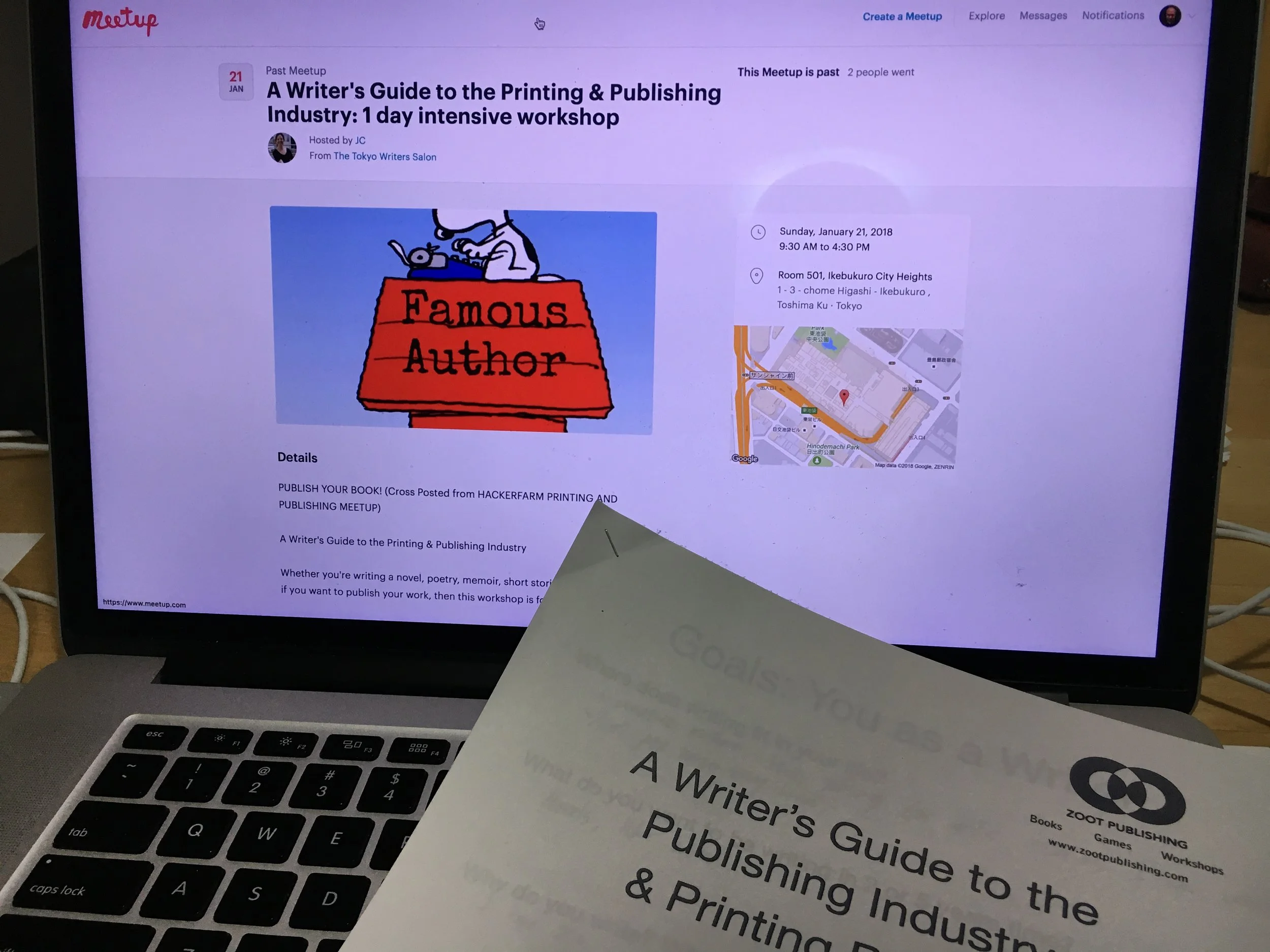
The immediate alternative, not publishing at all and just writing because I enjoy it, I finally rejected. That decision came during a seminar I attended in January 2018 by Hackerfarm and Zoot Publishing where I got a very useful introduction to the publishing industry. I had always wished I could find a traditional publisher, because then I could just write and let the publisher take care of selling the books. What I learned at the seminar, though, and what many online have also said, is that these days the traditional publishing houses expect authors to do much of their own marketing. So I thought if the publisher isn’t going to handle all the marketing of my book, then why not just do it myself? After all, on a shoestring budget, what do I have to lose?
I began to think beyond the thinnest shoestring when I contemplated creating a website. The two platforms most often recommended are WordPress and Squarespace. My impression is that a WordPress website can be put together less expensively, but the platform can be more difficult to work with for anything beyond a basic blog. I do not know whether I will actually sell anything from my website, but I like Squarespace’s e-commerce capabilities. I also want the ability to do pop-ups, etc. That requires Squarespace's Business plan, cheaper if you buy it by the year, $216. I certainly don’t have unlimited friends, but a few dollars of royalties each from those who might actually buy could cover the cost of the website for a year.
Then I began looking at more self-publishing advice on the Internet. For example, one especially helpful site is The Creative Penn. This site and many others say how important the cover art is for a book, either physical or digital. My first novel, Under Shōko’s Bed, is about an artist and I think one of the things sketched in pastels in the novel would be a great starting point for a cover. Unfortunately, inexpensive covers are based on stock images, and the sketch by my artist protagonist is nothing like a stock image. That means finding a real illustrator, and that will likely cost much more. And with that decision, my friends are no longer going to cover my costs. Either the book has to find other readers, or I have to spend money just for the joy of knowing I made something as well as I could.
If I am going to sell some hundreds of books, though, then what about editing? That is the other thing that Joanna Penn and others say is well worth the investment. Writers are always gushing over their editors. Do I need a professional edit of my novel? I have a Ph.D. from a great university, but it’s in a business field, not language or literature, so while my editing skills should be above average, I don’t know that I am good enough all by myself for a major novel. My wife, who has also served as an editor on Under Shōko’s Bed, has a masters degree, but it’s in engineering. She even works part-time as an editor! But she does native English edits of papers written by non-native English speakers. (Honest to goodness, what she does with these manuscripts is nothing short of amazing. Her ability to understand and fix their broken English, making it concise and clear—it’s like watching a psychic channel the author’s innermost thoughts.) But that is academic writing, not novels. And in fiction, I am a rookie author. I thought the first draft of Under Shōko’s Bed was great. It wasn’t. I think the seventh draft, though, is quite good. But having an editor go through my work, someone with experience editing best-sellers, would be both a wonderful learning experience and could possibly turn my very good novel into one with real literary quality. But whether it can be raised to that level or not, trying is going to cost between $1000 and $2000 (for a 110,000-word novel, freelance editor found on Reedsy, but I will talk about that more in a future post). From what I have seen online, that is not at the high end in terms of expense.
On top of that, I would like to create an audio book of the novel. I would like to do the reading myself, since I have been told I have a voice that would be good for that. But that’s not the kind of recording you can do for free with GarageBand on your Mac. It requires much higher quality sound with actual recording studio acoustics. I don’t know the exact price yet, but with the number of hours required, that’s going to cost hundreds, even with extreme pricing competition between recording studios, since Tokyo has a glut.
An ebook, a physical book for a print-on-demand service, and an audio book will require three separate ISBN codes. ISBNs are much cheaper if you buy them in bulk. For example, one costs $125, while 1000 cost only $1000. I can buy 100 for $5.75 a piece. Since Under Shōko’s Bed is not my only novel, I might as well save money in the long run and buy 100. Then there is copyright registration, which looks like it will cost only $55.
I have not even thought seriously enough at this point to guess what marketing costs will be.
Total all of this up, and if I manage to sell a book in one of the three formats (digital, paper, audio) to 100 friends and family, I will lose so much money that it will be akin to giving each of them the book with a $50 bill tucked inside as a bookmark. I am well on my way to becoming a cautionary tale!
At the same time, though, I will have produced something of which I am proud. And my second novel will benefit from the learning of my first, and some of the costs are fixed, so that the second novel’s costs might be a wee bit lower (although the biggest costs are editing, cover art, and audio studio time, which are not at all fixed). I hope that the biggest difference between the unconventional love story Under Shōko’s Bed and the thriller Neyuki, my second novel, is that some of those who read Under Shōko’s Bed will like it enough to buy Neyuki. If I can keep producing the stories that flow out of my slightly twisted mind, and keep readers entertained with them, I may eventually have a large enough following that my children won’t have to decide whether they are willing to pump money into the website, etc. to keep things going. Royalties that cover my expenses, that’s my long-term goal. And if someday years from now I finally break even on all the cumulative expenses, then I can sit back with a smile on my face and know that I still could have done better financially by spending my retirement working at McDonald’s.
In the end, it’s for the writing, not the sales. It’s for the pride in a story well told, not the profit.
Although a little external validation would feel nice; better than an Egg McMuffin, certainly.
Writing software: Scrivener
I highly recommend Scrivener to anyone who plans on writing anything big, but...
What software do you use to write? I wrote three complete novels using Apple’s Pages. It’s very simple and clean, although it does have limitations. For example, I had separate files for each chapter because putting it all into one file meant too much scrolling and performance that was far too slow. To make a PDF of an entire novel, that required me to make a single large file from the smaller ones. It was a pain, but workable enough that I stuck with it for three books.
At the beginning of February 2018, I downloaded Scrivener from Literature and Latte. I had heard of it a long time ago, but had never checked into it. It was recommended, however, by people at a seminar I attended in January 2018 by Hackerfarm and Zoot Publishing. It took a few hours to copy Under Shōko’s Bed into Scrivener scene by scene, but it has been wonderful to work with the entire novel at once. The navigation and search capabilities are great. I can add metadata to each scene (dates, characters, symbolism, and in Neyuki, even the depth of the snow). Scrivener’s “binder,” a sort of outline, makes it easy to move from one place to another in the text. It really is miles ahead of using a word processing program. I highly recommend Scrivener to anyone who plans on writing anything big.
But—getting your work out of Scrivener can be a terrible pain. On the positive side, you can create almost any kind of file with Scrivener, including EPUB and MOBI (Kindle) files, so a single Scrivener project can suffice for all. If you make changes to the text, you can generate new output files in all of your various file types absolutely painlessly. The problem is in generating those output files the first time. That is anything but simple, and as much trouble as it is to set up one output format, each other output format requires just as much trouble. Coming from the world of Pages, a WYSIWYG (what you see is what you get) word processor, I was used to being able to see my formatting changes as I made them. With Scrivener, I have to define how each type of text section will be formatted in the output, and it is not WYSIWYG at all. I make changes to the formatting, then compile the document and look at it. At which point, more often than not, I scratch my head and wonder why things have come out with some element of my desired format missing or wrong. Then I adjust a setting and compile and see the results again—and again and again and again. With some of the changes, I finally just gave up and went with what Scrivener had produced.
The power in Scrivener’s approach to formatting is that you can make a change for one type of text section and that change is automatically applied to every section of that type. You want a Roman numeral “I” as your chapter title instead of “Chapter One”? Then change the code in the appropriate section formatting and all of your chapters are fixed. It’s great, if you know the code.
Where all of this has left me is capable but not confident. I have gotten far enough with the formatting to be able to generate manuscripts, PDFs, EPUBs, and MOBIs that I have used to give friends, alpha and beta readers, copies of novels to read, but I don’t quite trust any of my formatted output for actual self-publishing yet. Maybe it’s a matter of trying and succeeding a few more times. Maybe. But I still fear that I will put my MOBI onto Amazon and have complaints start streaming in by the thousands.
Of course, that would imply that I was selling thousands.
Hey, an author can dream, right? In the end, though, maybe I should worry less and just publish.